Build a Venue Website That Books More Inquiries
Your Website Has One Job: Generate Inquiries
A beautiful website means nothing if visitors leave without reaching out. You could have stunning design, incredible photography, and perfect copy but if visitors do not fill out a form or call a phone number, that website is not working. Your venue website needs to do one thing: convince visitors your space might be right for their event and make it dead simple to take the next step.
This is not about being fancy. This is about being effective. The venues that generate the most inquiries from their websites are not the ones with the most beautiful design. They are the ones that remove friction at every step and give visitors a clear path forward. Research from Unbounce shows that reducing form fields from 7 to 4 increases submission rates by 120 percent. Venues with a visible inquiry button above the fold convert at 3x the rate of venues that bury the CTA below the hero image.
4 Steps to Optimize Your Inquiry Form and CTA Placement
- Place a "Check Availability" button in the header so it appears on every page without scrolling
- Cut form fields to 4 or fewer: name, email, phone, and event date are sufficient to qualify any lead
- Add a photo of the venue on every page so visitors are always reminded of the space they are considering
- Put your starting price range on the homepage to eliminate tire-kickers before they submit
The 5-Page Website That Works
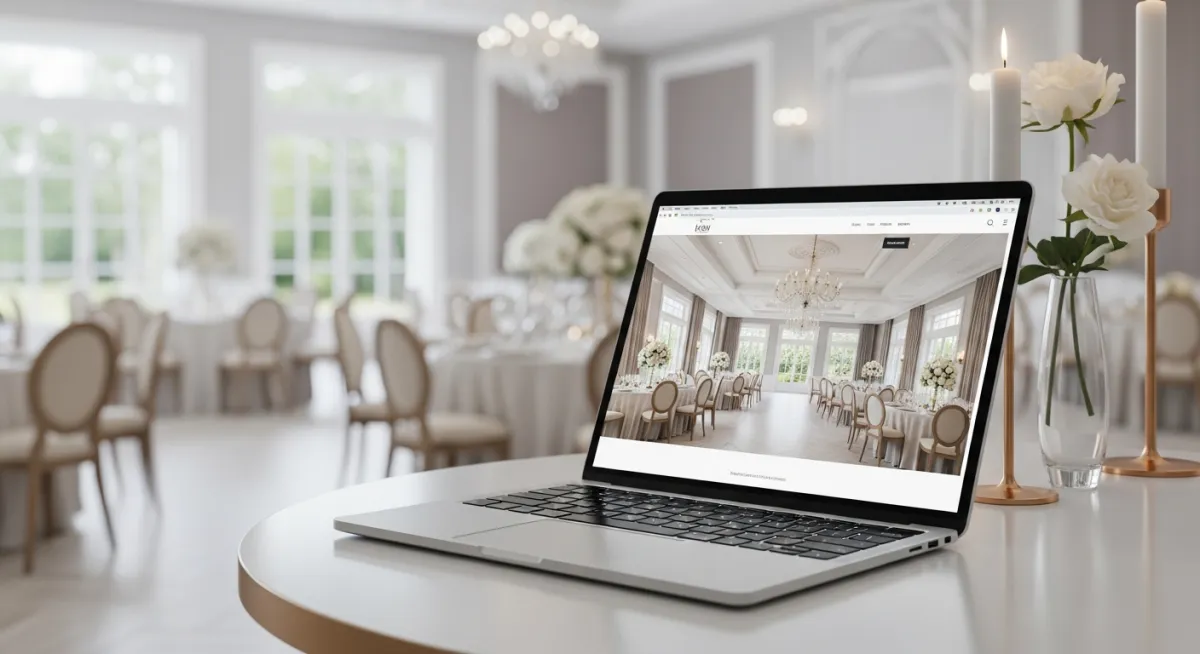
Page 1: Home. Full-width hero image showing your best space, one sentence describing your offering, a clear CTA button: "See Pricing" or "Check Availability" or "Schedule a Tour." Below the fold: 4-5 photos, brief 150-word paragraph about the space, and 2-3 client testimonials. Clean and focused. Goal: get visitors to either see pricing or schedule a tour. Nothing else matters.
Do not use this page to tell your life story. Show the space. Show that happy couples love it. Invite them to take the next step.
Page 2: Gallery. Twenty-plus photos organized by event type: Weddings (10 photos), Corporate Events (5 photos), Birthdays and Parties (5 photos). Let visitors filter by the type of event they are hosting so they see relevant setups. CTA at bottom: "Schedule a tour." This page should take 3-5 minutes to view. It is your visual portfolio.
Page 3: Pricing/Packages. Tiered pricing showing your basic, standard, and premium packages. Include what is in each. Add your 5-8 item add-on menu. Be transparent about cost. Do not hide pricing. CTA: "Check Availability" or "Get a Quote."
Transparency about pricing eliminates tire-kickers. People who cannot afford you will self-select out. People who can afford you will feel respected because they do not have to chase you for a price quote.
Page 4: FAQ. Ten to fifteen of your most common questions answered in detail. "What time can we arrive?" "Can we bring our own caterer?" "Is there parking?" "What is included?" Every question answered removes friction and objections.
Page 5: Contact/Inquiry Form. Four fields maximum: name, email, phone, and event date. After submission, send an automated response within seconds via GHL.
Technical Essentials: The Non-Negotiables
Mobile-friendly. Over 70 percent of venue searches happen on phones. Your site must look perfect on mobile or you are losing 70 percent of visitors. Test it on an actual phone. Buttons must be tappable. Text must be readable.
Fast loading. If your site takes more than 3 seconds to load, visitors leave. Compress images with TinyPNG (free). Do not load unnecessary scripts. Use a fast hosting provider.
Connect forms to GHL for automatic follow-up. The moment someone submits your inquiry form, they should land in your GHL system and receive an automated response within seconds. If someone fills out your form and hears nothing for 24 hours, they have already booked another venue. Learn how to set up a GHL pipeline to track every inquiry.
Add Google Analytics to track visitor behavior. You need to know where traffic comes from, which pages people visit, and where they drop off. Install Google Analytics and check it monthly.
Include Google Business Profile and social links in footer. Link to your Google reviews. These are trust signals. Include them visibly on every page.
Case Study: Tennessee Farmhouse Venue Increases Inquiries 137 Percent in One Weekend
A Tennessee farmhouse venue had an old website built in 2015. It was outdated, slow, not mobile-friendly, and had outdated photos. Despite getting decent traffic, inquiries were low at about 8 per month.
She rebuilt the site using the five-page framework over one weekend. Used updated photos. Added transparent pricing. Created an FAQ answering 15 common questions. Connected the inquiry form to GHL. Made it mobile-friendly.
Within 30 days, inquiries jumped from 8 to 19 per month, a 137 percent increase. The traffic did not change. Same audience. Same search results. But the website converted better because it was faster, clearer, and removed friction at every step.
The Conversion Funnel: Where to Focus Your Effort
Most venue owners obsess over getting more traffic. But look at the math. If your website converts at 5 percent and you get 100 visitors per month, that is 5 inquiries. If you keep your 100 visitors and improve conversion to 10 percent, that is also 10 inquiries. You got the same result without spending a dollar on marketing.
Which is easier: doubling your marketing budget, or improving your website conversion rate by 5 percent? The second one. And most venue owners ignore it because it is not glamorous. But it works.
The Website Maintenance Checklist
Launch your five-page site and then spend 30 minutes per quarter on maintenance: update photos from recent events, add new FAQ items based on questions you received, check that form submissions are flowing into GHL, and review Google Analytics for your top traffic sources. A website that is more than 12 months out of date signals to both visitors and Google that the business is inactive. Fresh photos and updated content directly improve both trust and search ranking.
Frequently Asked Questions
What pages does a venue website need to convert visitors?
A venue website needs five pages to convert effectively: Home (hero image plus CTA), Gallery (20+ event photos), Pricing (transparent packages), FAQ (10-15 common questions answered), and Contact (short inquiry form with 4 fields). Each page has one job. The home page moves visitors to pricing or a tour. The gallery builds desire. The pricing page qualifies leads. The FAQ removes objections. The contact page captures the inquiry.
How many form fields should my inquiry form have?
Four fields is the optimal number for a venue inquiry form: name, email, phone, and event date. Research from Unbounce and HubSpot consistently shows that forms with fewer than 5 fields convert at 2-3x the rate of forms with 7 or more fields. Every additional field is friction. You can ask for budget range, guest count, and event type after you have established contact.
Should I put pricing on my venue website?
Yes. Venues that show starting prices on their website generate more qualified inquiries and waste less time on leads who cannot afford them. Publishing "packages starting at $2,500" or "Saturday rates from $3,000" is enough. It sets expectations, reduces sticker shock on the first call, and signals confidence in your pricing. Venues that hide pricing tend to attract more price shoppers, not fewer.
What is the single most important element of a venue homepage?
The single most important element is a visible call-to-action button above the fold, linked directly to your inquiry form or availability calendar. Not your bio. Not your history. Not a long description of the space. The button. Venues that place a "Check Availability" or "Schedule a Tour" button in the header convert at 3x the rate of venues that bury the CTA below the hero image. Everything else on the page supports that one action.
How often should I update my venue website?
Do a 30-minute maintenance pass every quarter: add 5-10 new event photos, update FAQ answers if client questions have changed, verify the inquiry form is still routing to GHL, and check Google Analytics for your top traffic sources. A website that is more than 12 months out of date signals to both visitors and Google that the business is inactive. Fresh photos and updated content directly improve both trust and search ranking.
Have an event venue? List your venue for free on the OMG Rentals Directory and start reaching clients who are actively searching for spaces like yours.